Product UX · Sneaker resale
Hypeboost.
A sneaker checkout that fits on one screen and still sells a cap
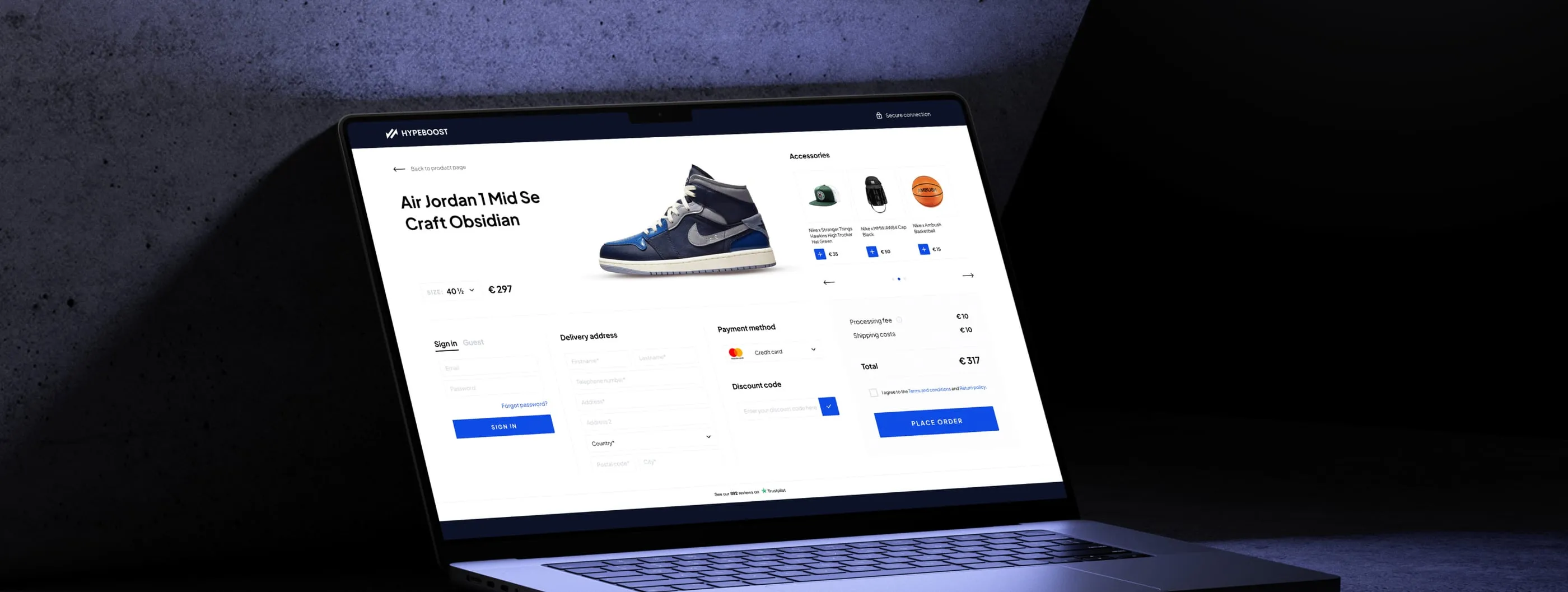

Hypeboost is a European marketplace where sneaker sellers and buyers meet, and where the community matters as much as the trade. Every pair is shipped to Hypeboost first, checked, and only then sent to the buyer. The company asked us to redesign the two places where a visit becomes an order: the product page, and the cart and checkout. Everything else stayed as it was, so our work had to fit an existing brand.
- Product page
- One-page checkout
- Mobile checkout
- Accessory upsell
On a resale marketplace, price depends on size, and trust depends on knowing who checks the shoes. Both were easy to miss. Checkout is where buyers hesitate most: sign-in, address, payment, discount code and fees all ask for attention at once. We had to make sizes and prices readable at a glance, put authenticity in plain sight and shorten the path from size to paid order.
- 01 — Price per size
Each EU size has its own price, and buyers need to compare them quickly.
- 02 — Trust
Buyers pay for shoes from a stranger and want proof they are real.
- 03 — Checkout friction
Account, delivery, payment and fees compete for attention in a single step.
A size grid that shows the price
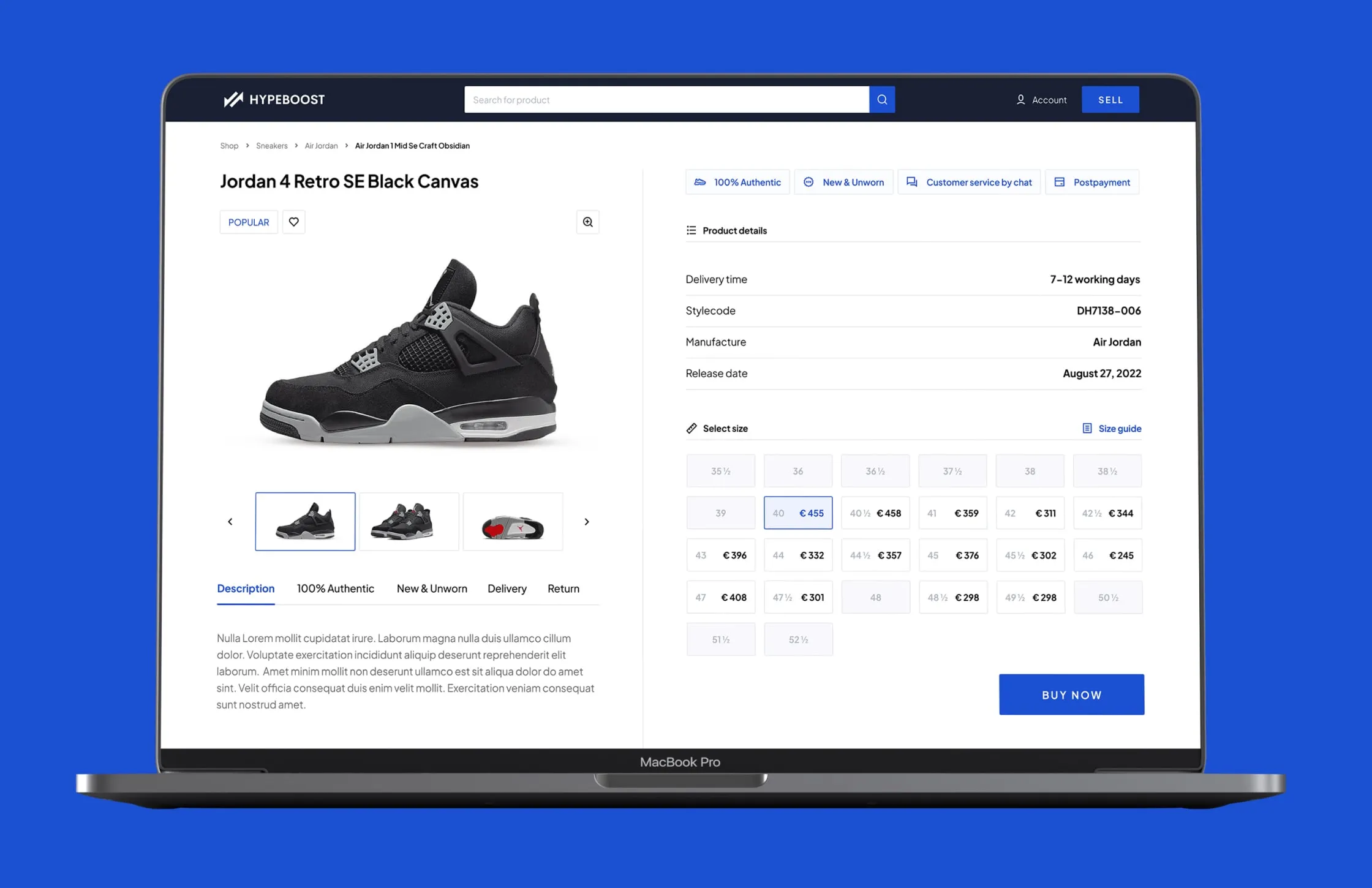
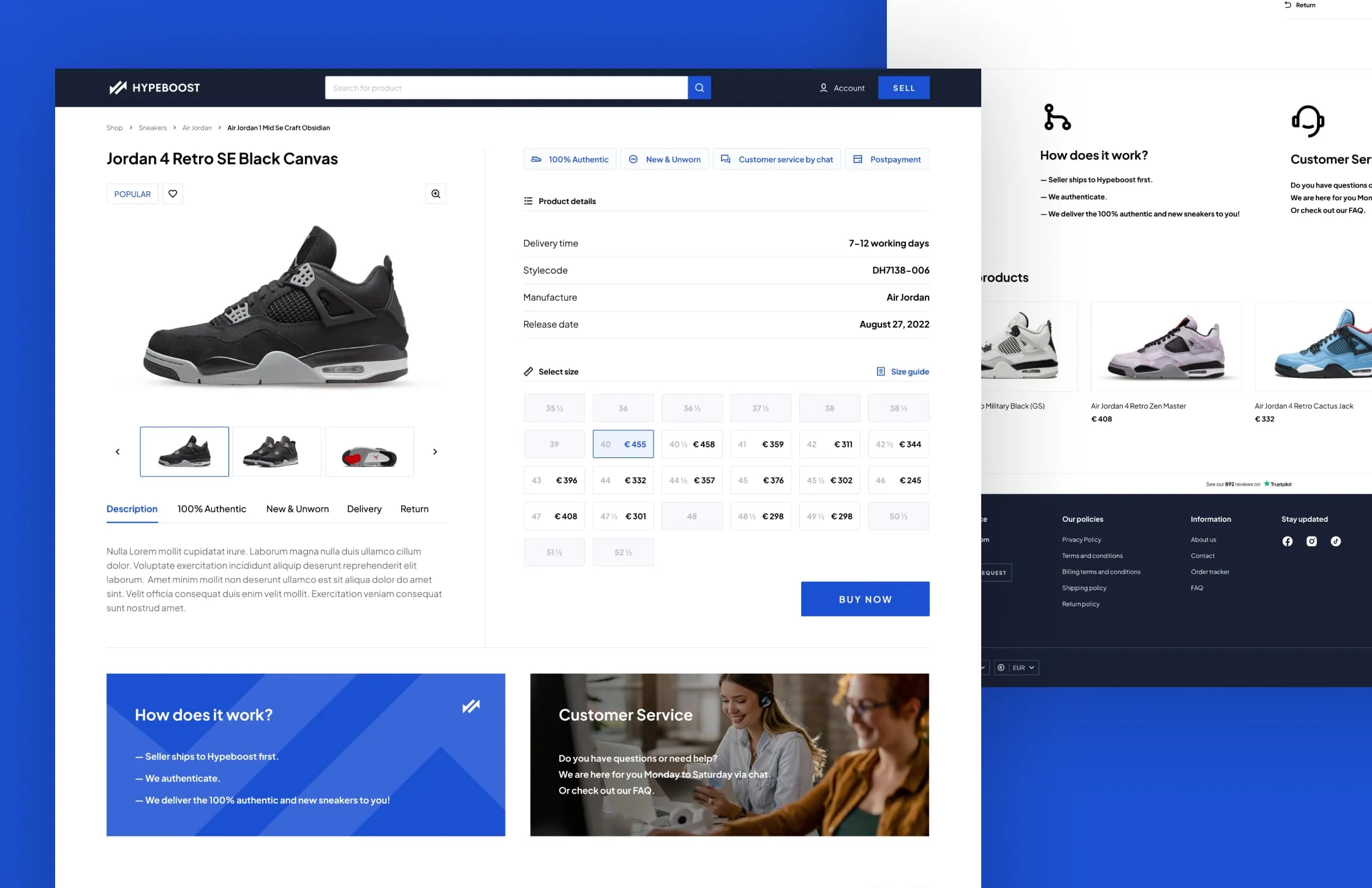
We turned size selection into a grid where every EU size carries its own price, and unavailable sizes fade back. A size guide link sits right above it. Product details, delivery time, style code, manufacturer and release date, sit in a clean table beside the photos. One blue Buy now button closes the column, so there is only one next step.
Authenticity in the first line
Four short promises open the product column: 100% authentic, new and unworn, customer service by chat, and postpayment. Further down, a How does it work block explains the route in three lines: the seller ships to Hypeboost, Hypeboost authenticates, the buyer receives the pair. A customer service card sits next to it with chat hours, so help is visible before it is needed.
Checkout on one screen
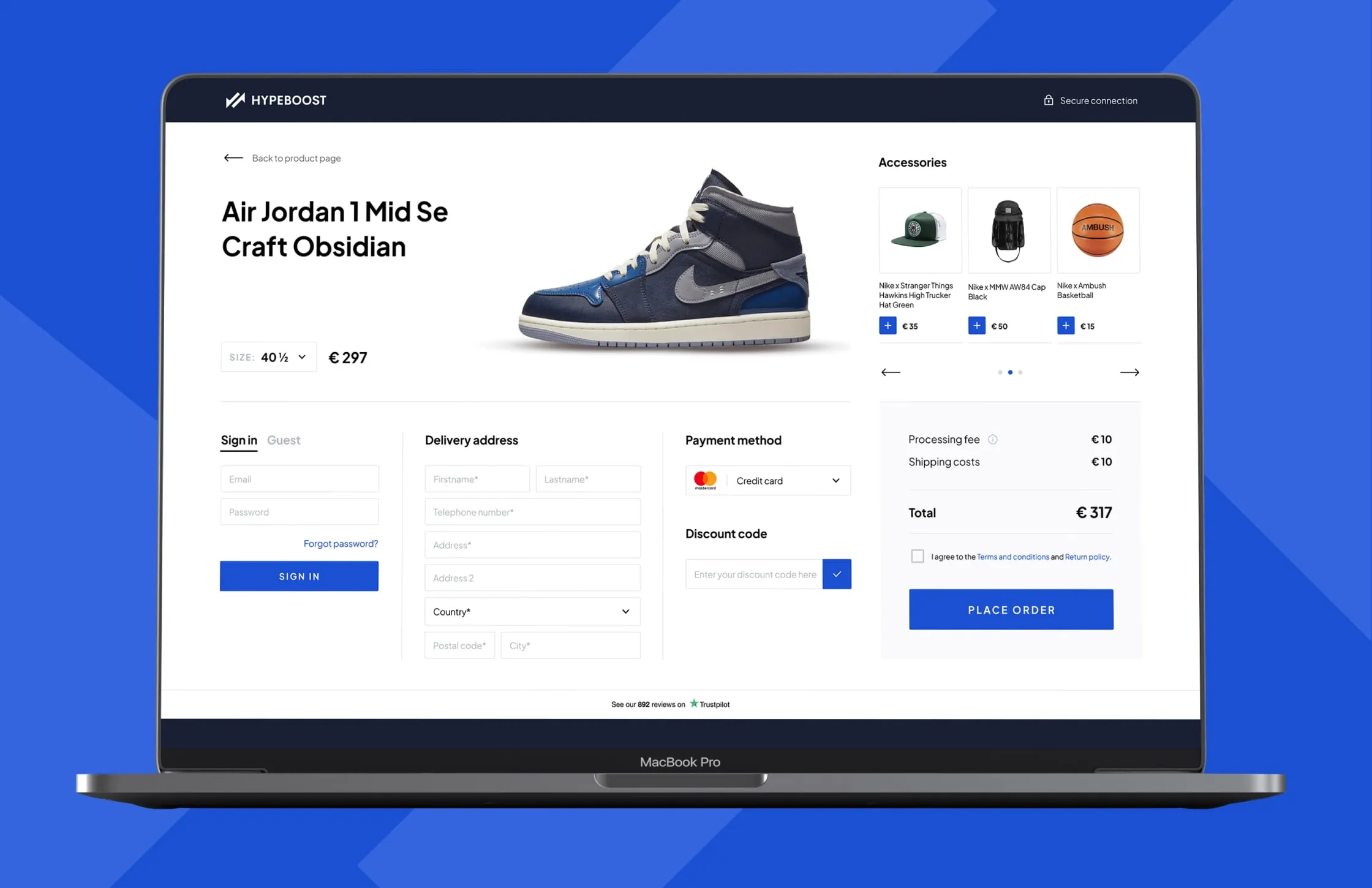
We folded checkout into a single page: sign in or continue as guest, delivery address, payment method and discount code, then the total with processing fee and shipping. The shoe, size and price stay at the top, so nobody forgets what they are paying for. The header drops search and navigation and shows a secure connection label instead. Trustpilot reviews sit under the form as a last reassurance.
An upsell, not a detour
An accessories carousel with caps, bags and a basketball sits above the order summary, each with a one-tap add button. It never pushes the Place order button out of view. On mobile, the same checkout stacks into a short sequence: product, sign in, delivery, payment, accessories and summary. Every block keeps the desktop order, so returning buyers find things where they expect them.
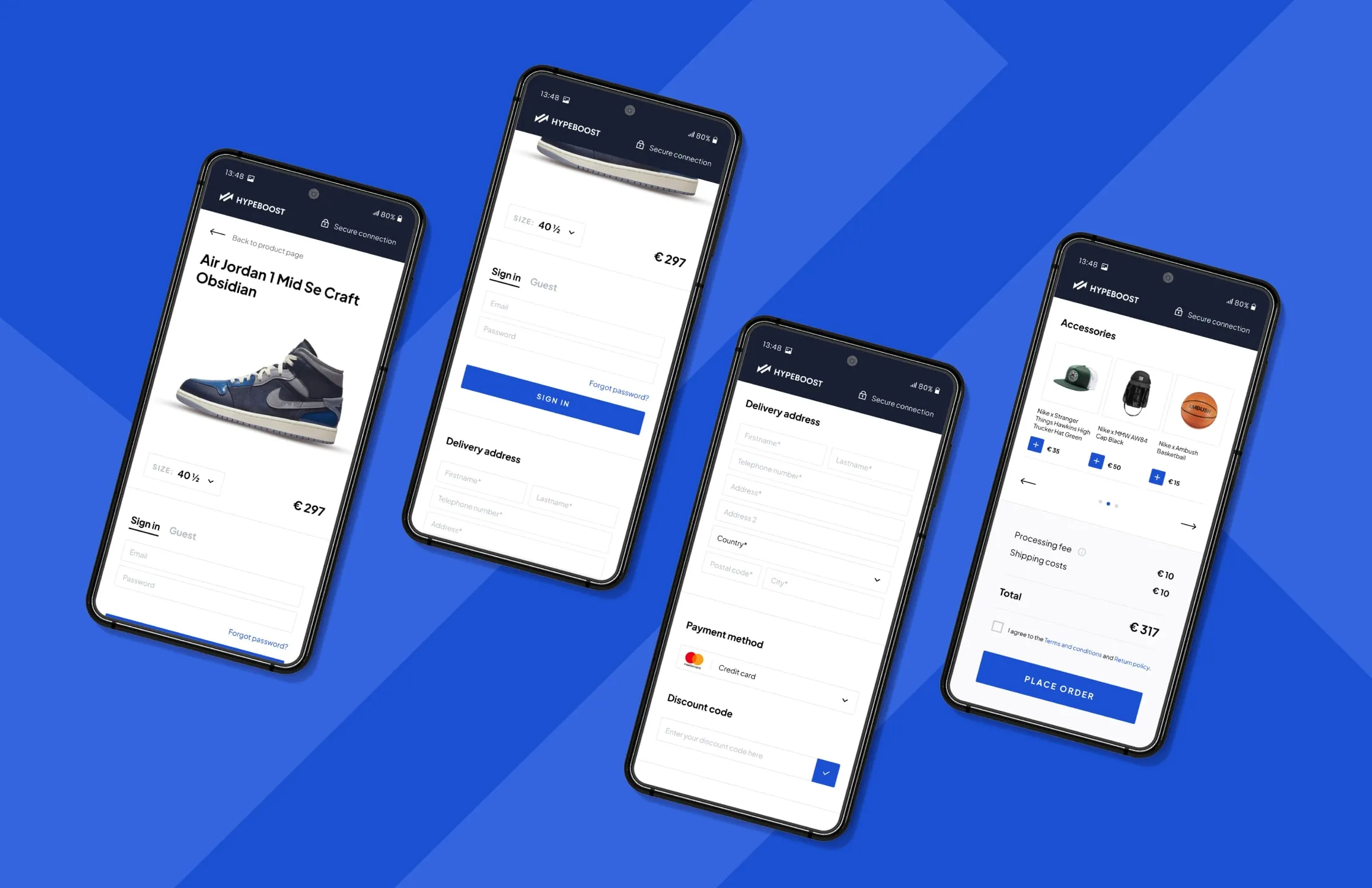
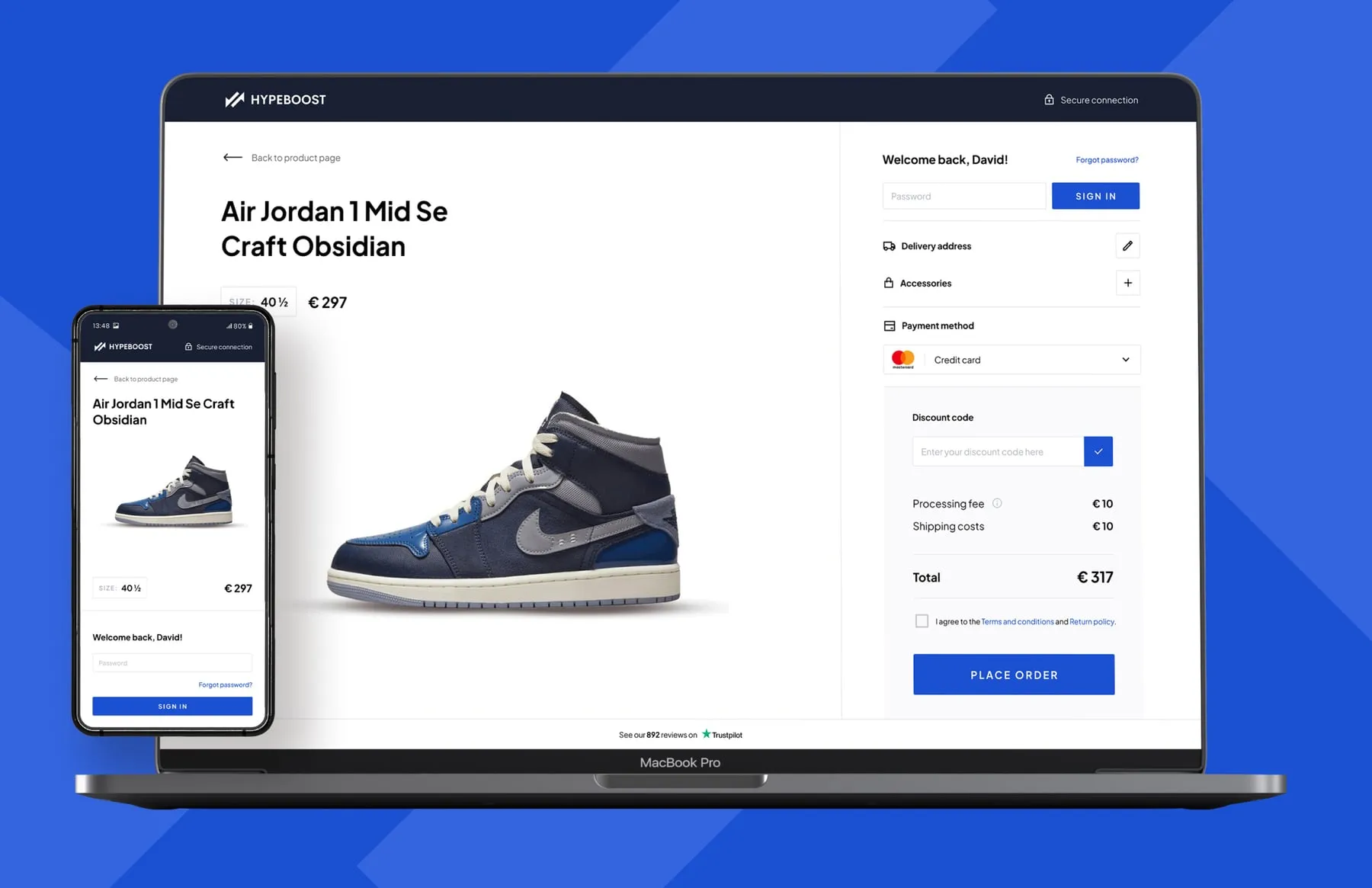
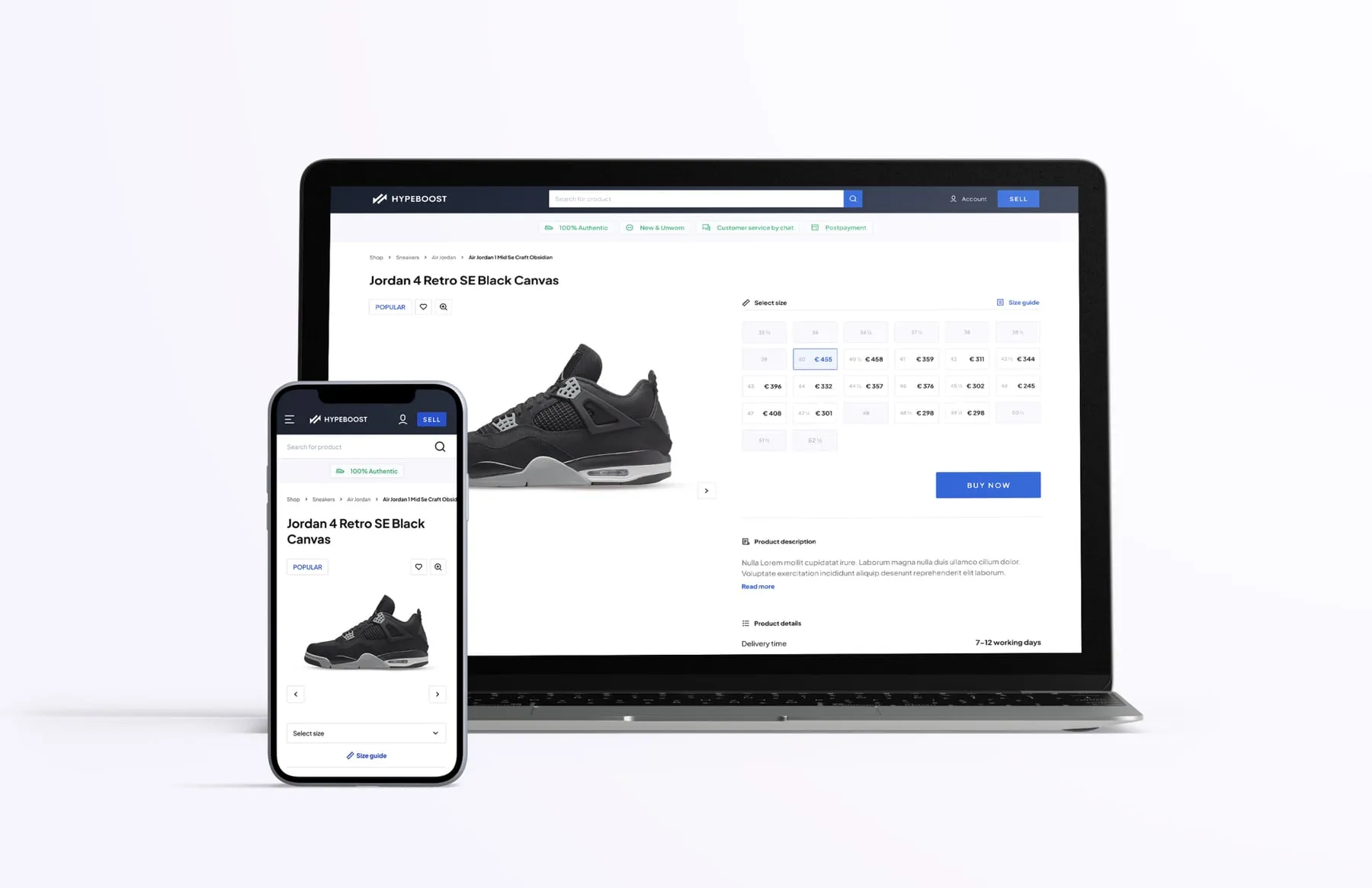
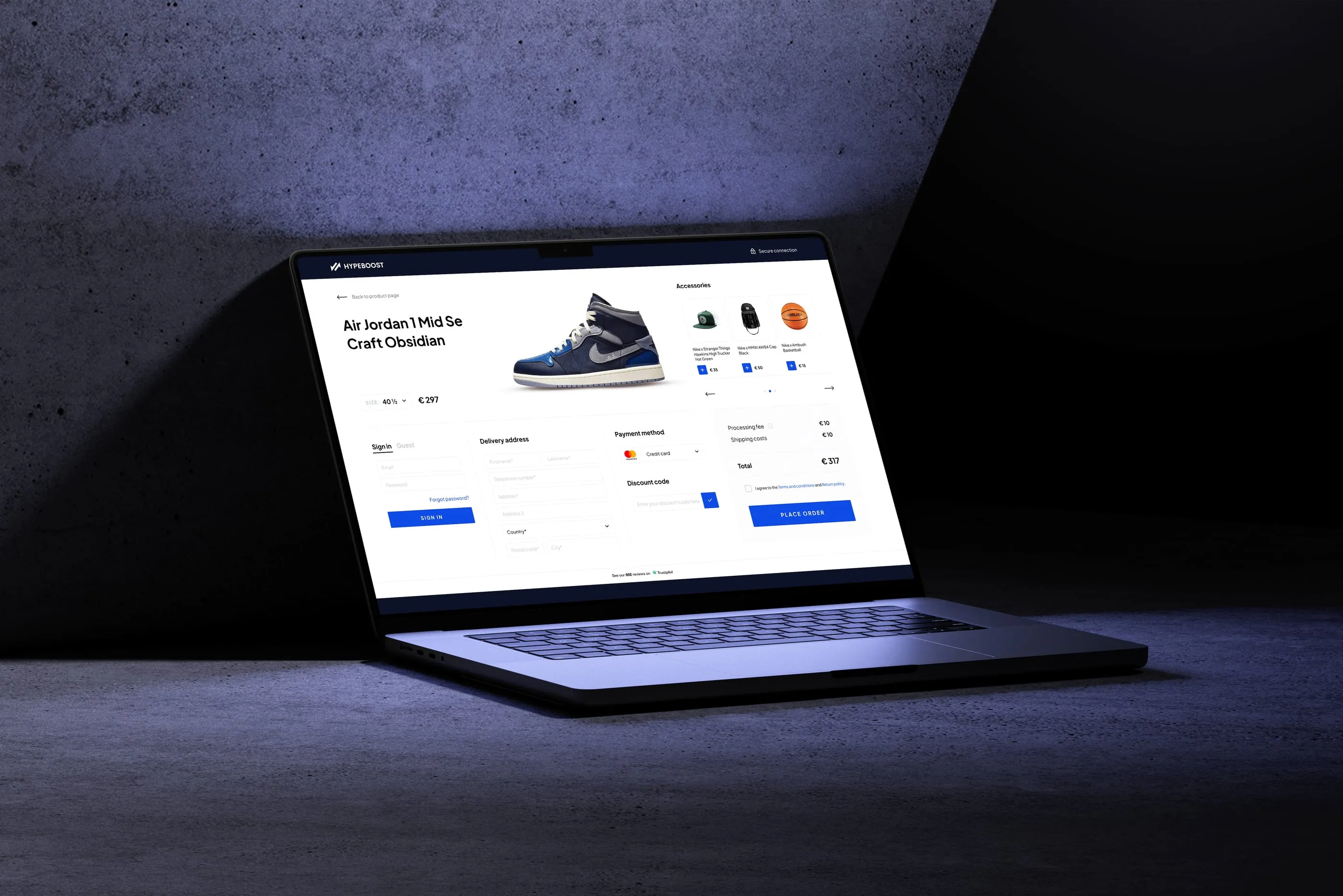
Hypeboost received a redesigned product page and a one-page checkout for desktop and mobile, built to sit inside the existing platform. Buyers compare prices by size, see how authentication works before they pay, and complete an order on a single screen. Accessories can join the order without leaving checkout, and fees are shown before the final click.
- Product page with price-per-size grid
- Authenticity and service promises
- How it works and customer service blocks
- One-page checkout with guest option
- Accessory upsell carousel
- Mobile checkout layouts